Let every attendee find their own event photos, without you sorting a single one.
Conferences, corporate offsites, and large parties can put hundreds of faces in front of your camera in a single day. PixelPace uploads the full shoot from your desktop, matches every attendee who registers with a selfie, and delivers each of them a private gallery automatically, at any headcount, with no per-match fee.
Built for headcount, not just headshots.
A QR code at check-in or on a screen sends guests to a browser registration page — nothing to download before they can register.
PixelPace matches that selfie against every photo from the event, so an attendee only ever sees photos they're actually in.
There's no per-match credit system, so a 50-person offsite and a 2,000-person conference cost the same to match.
Confident matches go straight to each registered attendee's private gallery. Anyone you label yourself waits for your approval, and you can revoke access at any time.
QR self-registration, no app required
Print the event QR code on signage, a check-in screen, or your event program. Attendees scan it, add one clear selfie in their phone's browser, and they're registered — no app store, no account creation. For events with a venue screen, attendees can also share their own photos to a live event photo slideshow that keeps your studio name on screen.
Because registration happens in a browser, it works the same at a 40-person corporate offsite and a 2,000-person conference. You're not asking anyone to install anything before they'll bother finding their photo.
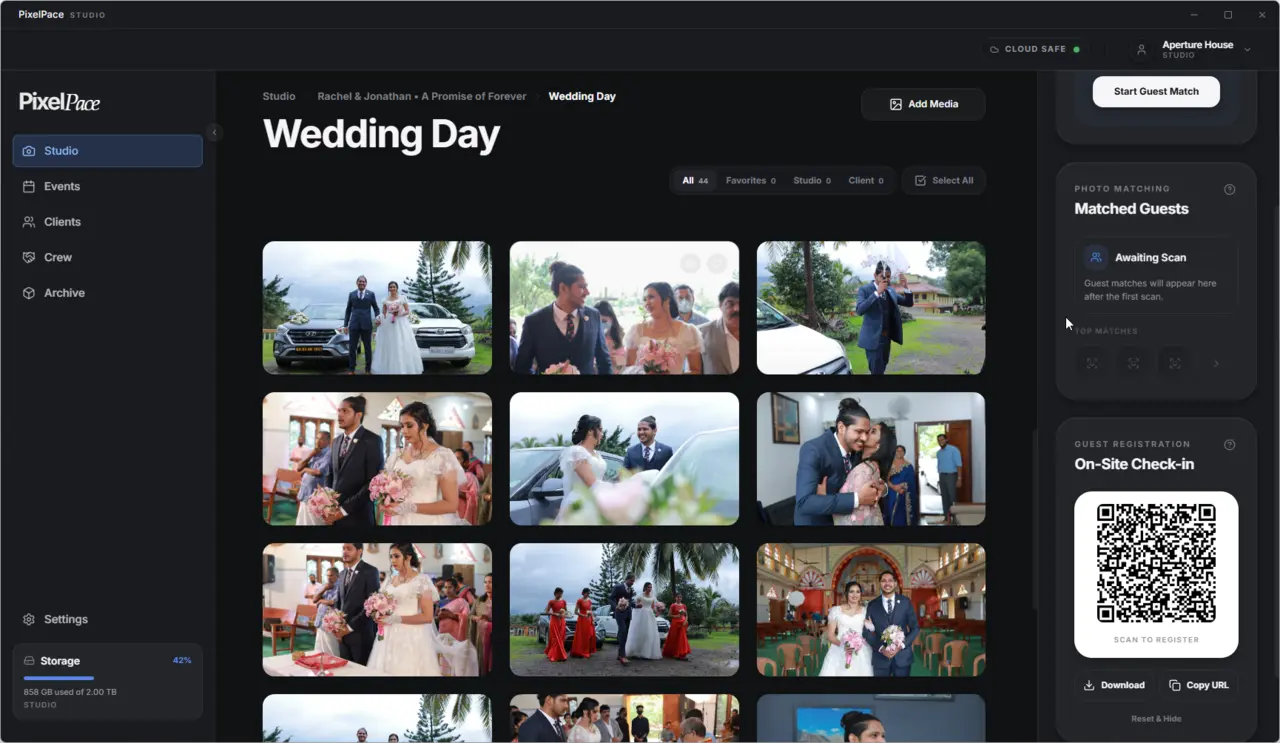
On-site QR registration inside PixelPace Studio
Every attendee grouped automatically, registered or not
With private AI face recognition, PixelPace groups faces across the whole event automatically, whether or not someone registered. Registered guests appear with their name and matched photo count; everyone else shows up as a detected face you can label, merge, or leave unassigned.
This matters at scale, since a keynote audience or a large party produces far more faces than sign-ups. You're not blocked on 100% registration: registered attendees receive their matches automatically while you label and approve everyone else.
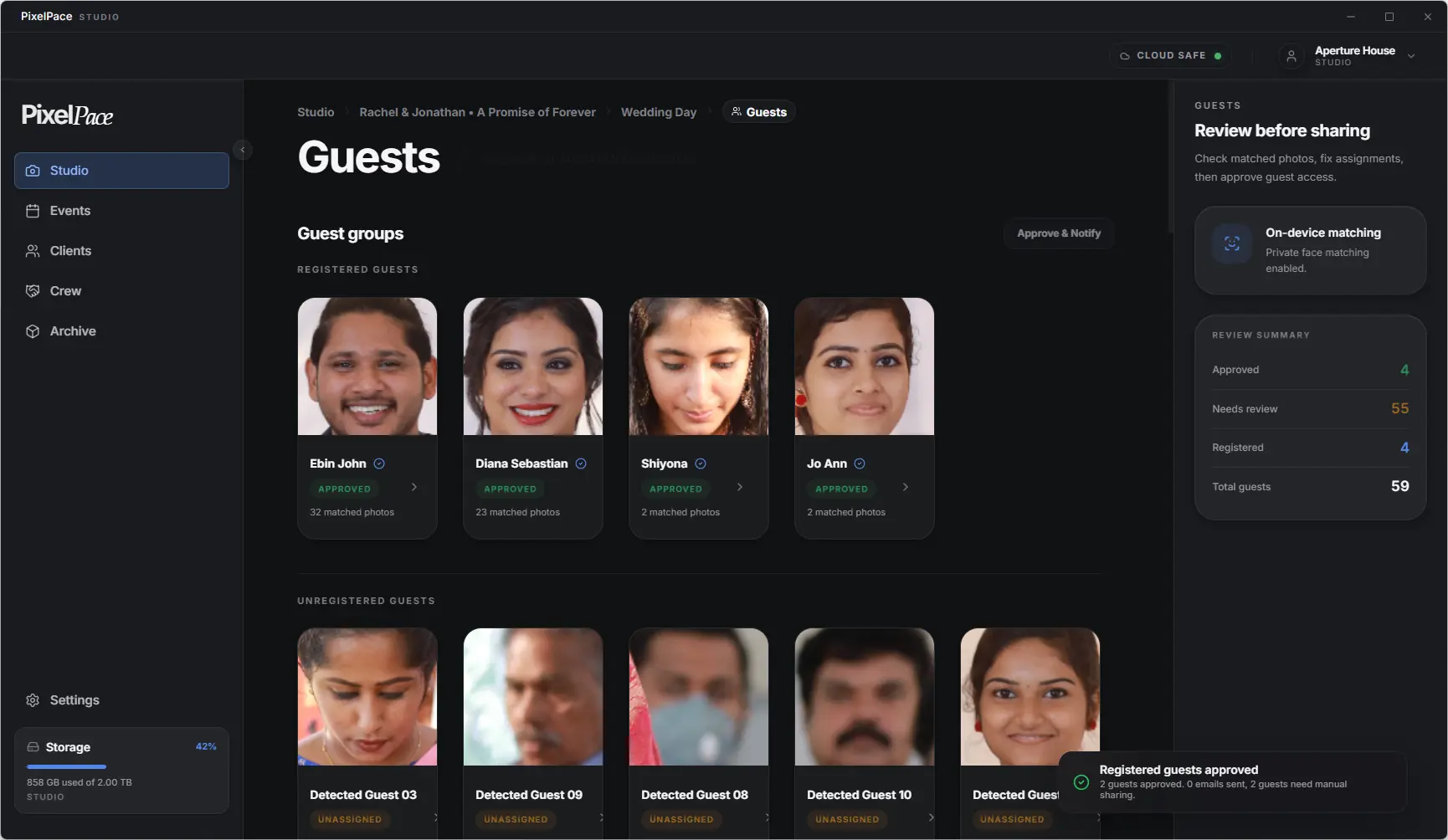
Registered and unregistered guest groups, reviewed on-device
Matching runs locally on your desktop as part of every PixelPace plan. A 2,000-person conference doesn't cost more to match than a 40-person meetup — only your storage plan changes.
Fast turnaround without a browser tab open all night
Event photography lives and dies on turnaround. With PixelPace's desktop-first photo delivery, the upload queue runs in the background and automatically retries temporary failures; if your connection stays down mid-event, you can resume later without re-uploading files that already finished. You can start uploading between sessions instead of waiting until you're back at a studio.
Because galleries are browser-based for attendees, there's nothing for you to build or export per person: a registered attendee's private link fills with their matches automatically.
Frequently asked
Do attendees need to install an app to find their photos?
No. Registration and gallery viewing both happen in a mobile browser after scanning a QR code — there's nothing to install.
How does face-matching handle an event with hundreds of people?
Matching runs locally on the photographer's desktop and groups every detected face automatically, independent of how many people actually registered. Registered guests are matched by name; everyone else appears as a face you can review and label.
Is there a per-match or per-guest AI cost as headcount grows?
No. AI matching is included on every PixelPace plan with no credit system, so a larger event doesn't cost more to match than a small one.
Can I run this for a recurring event with multiple sessions or days?
Yes. An event can be structured with multiple sub-events inside one gallery, so a multi-day conference or a repeating series stays under a single client record.
What happens to people who don't register?
They still show up as detected faces in your review queue. You can label them manually, merge duplicate detections, or leave them unassigned if you'd rather only deliver to people who registered.
Related reading
Try it on your next event
Unlimited AI guest matching included on every plan, no credits.